Back to Blog
Google Ads for Local Services in the US, Canada, and UK: How to Appear First When Someone Searches for Your Service in 2026
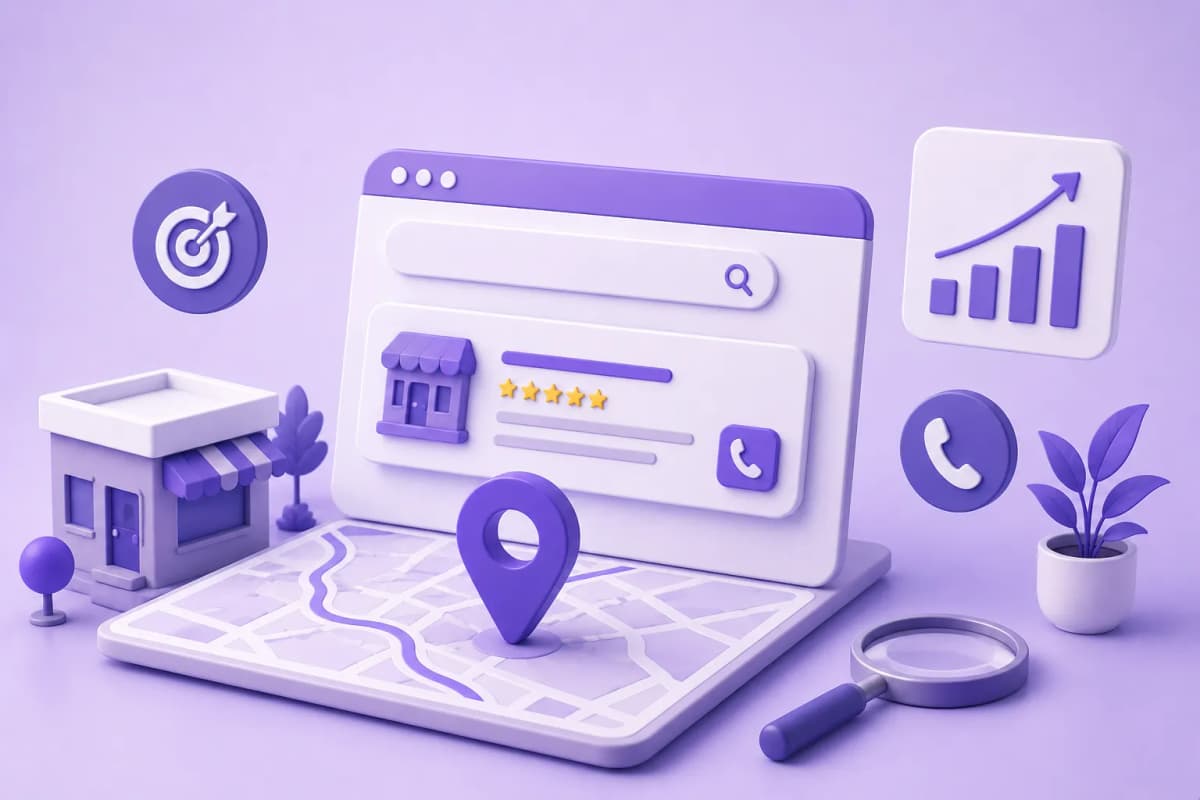
Google Ads captures someone who has already decided they need what you offer — Meta Ads interrupts someone who was doing something else. For local service businesses, that difference in intent determines who converts and at what cost.
Why Google Ads Works Differently from Meta Ads for Local Services
Most service businesses that run paid ads start with Meta. The platforms are familiar, the ad format is visual, and there's abundant content on how to use them. But Meta Ads has a structural problem for local services: it reaches people who weren't looking for anything.
Google Search Ads work in reverse. The prospect types "dentist near me Chicago" or "employment lawyer Toronto" — at that moment they have an active need and are ready to act. The ad arrives at the exact moment the decision is being made.
This is the distinction that defines which platform to prioritize: Google captures existing demand. Meta creates demand. Both have a place, but with different objectives and conversion timelines.
Google Search Ads vs. Meta Ads: The Difference That Changes Strategy
|
Dimension |
Google Search Ads |
Meta Ads |
|---|---|---|
|
Moment of contact |
Prospect is actively searching |
Prospect wasn't looking for anything |
|
Intent level |
High — has a defined need |
Medium/low — may or may not be a potential client |
|
Format |
Text + extensions |
Image, video, carousel |
|
Best for |
Services with active search demand (dentist, lawyer, plumber) |
Services the client doesn't search for but might want (coaching, wellness, education) |
|
Decision cycle |
Short — real urgency or immediate need |
Longer — requires awareness building first |
For most local services with existing demand (health, legal, repair, professional services), start with Google Ads. It captures people who are already in the market for what you offer.
How to Structure a Search Campaign for a Local Service Business
Step 1 — One Campaign Per Service (Don't Mix)
If you're a dentist offering whitening, orthodontics, and emergency appointments, create 3 separate campaigns — not one campaign with everything mixed in. Mixing services makes it impossible to know what's converting and dilutes the budget.
Step 2 — 3 to 5 Ad Groups Per Intent Type
Each ad group clusters keywords with the same search intent:
|
Group |
Search type |
Example keyword |
|---|---|---|
|
Urgency / immediate |
"near me," "now," "today," "open now" |
"emergency dentist Chicago now" |
|
Price / inquiry |
"cost," "price," "how much" |
"how much does teeth whitening cost Chicago" |
|
Specific service |
Name of the treatment or service |
"teeth whitening dentist Chicago" |
|
Brand + city |
Your name or practice name |
"[practice name] Lincoln Park" |
Step 3 — Phrase and Exact Match Keywords; Avoid Broad Uncontrolled
|
Type |
Syntax in Google Ads |
What it captures |
|---|---|---|
|
Exact |
[dentist Chicago] |
Only that search or very close variants |
|
Phrase |
"dentist Chicago" |
That phrase within a longer search |
|
Broad match |
dentist Chicago |
Everything Google considers related — including irrelevant searches |
Start with exact and phrase match. Broad match without an extensive negative keyword list burns budget on clicks that will never convert.
Step 4 — The Ad Uses the Same Words as the Group
If the group is "teeth whitening Chicago," the ad headline must include "teeth whitening" and "Chicago." The match between what the prospect searched and what they see in the ad determines Quality Score — and Quality Score determines what you pay per click.
Effective ad structure for local services:
Headline 1: Teeth Whitening Chicago — From $X
Headline 2: Free Consultation This Week — Book Today
Headline 3: [Practice Name] — [Neighborhood]
Description: Professional whitening in one session. No waiting list. Book your appointment in 60 seconds by calling or messaging us directly.
Step 5 — Destination: Call, WhatsApp, or Single-Service Landing Page (Never the Homepage)
The most common configuration mistake: setting the destination URL to the website homepage. The prospect who searched "teeth whitening Chicago" lands on a homepage listing every service, doesn't know what to do, and leaves.
The two destinations that convert best for local services:
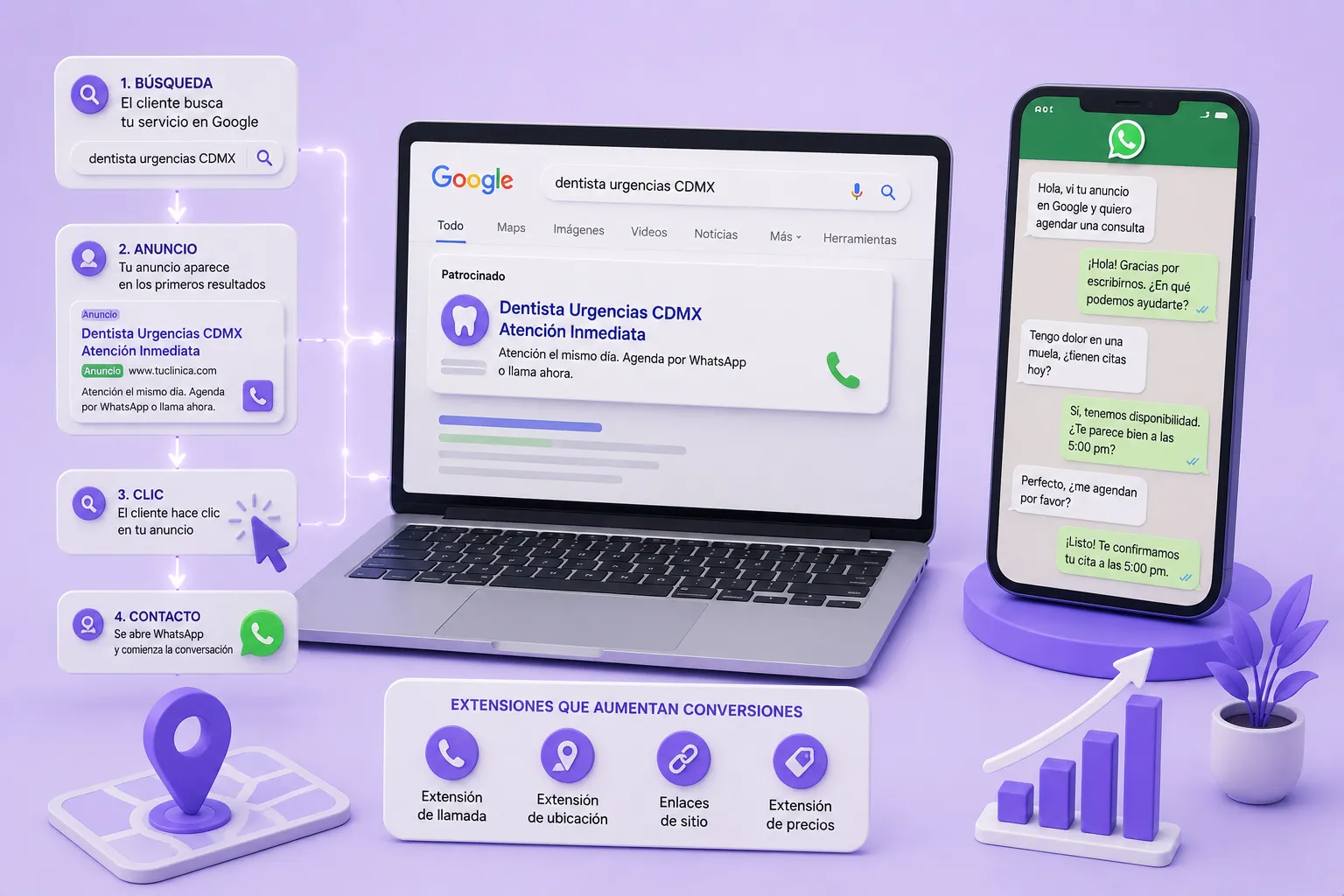
Option A — Direct call extension: In high-intent local service searches, many prospects on mobile will call directly from the search result. A call extension makes your phone number clickable without requiring a click-through to a website.
Option B — Single-service landing page or messaging link: A page that only talks about the specific service in the ad group, with one single call to action (call, book online, or message). Every additional step between the ad click and the conversation reduces conversion rate.
Minimum Viable Budget by Niche (US, Canada, UK)
|
Niche |
Daily budget |
Monthly budget |
Estimated CPC |
Expected conversions |
|---|---|---|---|---|
|
Dentist (whitening / emergency) |
$30–$80 USD |
$900–$2,400 USD |
$8–$25 USD |
15–40 inquiries |
|
Coach / consultant |
$20–$50 USD |
$600–$1,500 USD |
$5–$18 USD |
10–30 leads |
|
Lawyer |
$50–$150 USD |
$1,500–$4,500 USD |
$20–$60 USD |
8–20 inquiries |
|
Real estate agent |
$40–$100 USD |
$1,200–$3,000 USD |
$15–$40 USD |
8–20 contacts |
These ranges assume well-structured campaigns with phrase and exact match keywords, an active negative keyword list, and a direct conversion destination (call extension or single-service page). A poorly configured campaign can consume the same budget with 3–5x fewer conversions.
Connecting Google Ads with Phone and Messaging for Immediate Conversion
The goal is to minimize the steps between the ad click and the actual conversation. Every intermediate page, form, or redirect reduces conversion rate.
Call extensions: Available directly in Google Ads, call extensions show your phone number under the ad on mobile. On mobile, clicks on the call button are tracked as conversions separately from website clicks — set up call conversion tracking from day one.
Message extensions / booking links: Google Ads supports message extensions that let prospects send a text directly from the search result. For markets where WhatsApp is the primary messaging channel, using a WhatsApp link as the destination URL works as an alternative.
The full flow with ManyChat:
- Prospect searches "emergency dentist Chicago" → sees the ad
- Clicks → WhatsApp opens with a pre-filled message ("Hi, I saw your ad on Google and need an appointment")
- ManyChat bot responds immediately → qualifies with 2 questions → offers available times
- Prospect confirms → tag QUALIFIED_BOOKING + notification to the practice
- No response after welcome → tag NURTURING_21D + educational follow-up sequence
Key Metrics: What to Track and What They Mean
|
Metric |
What it measures |
Target for local services |
|---|---|---|
|
CTR |
% of people who click after seeing the ad |
Above 5% signals relevant ad copy |
|
Actual CPC |
What you pay per click |
Should stay within your niche range |
|
Quality Score |
Google's relevance rating (1–10) |
Above 7 lowers your actual CPC |
|
Conversion rate |
% of clicks that generate an inquiry or booking |
10–25% for direct call or messaging destination |
|
CPA (cost per acquisition) |
Cost per real consultation or appointment |
Set your own ceiling based on service value |
Quality Score is the metric most beginners ignore and the one with the most leverage: a campaign with QS 8–10 can pay 40–60% less per click than a QS 4–5 campaign bidding on the same keywords.
The Mistakes That Burn Budget Fastest
Mistake 1: Broad Match Without a Negative Keyword List
Google will show your "dentist Chicago" ad for searches like "dentist school Chicago," "dentist for dogs Chicago," or "free dentist Chicago." Without an active negative keyword list from day one, budget disappears on clicks that will never convert.
Basic negative keywords to start with for health and professional services: free, school, degree, jobs, hiring, animals, pets, veterinary.
Mistake 2: Not Using Ad Extensions
Call extensions, location extensions, sitelinks, and price extensions can appear below the ad at no additional cost — you only pay when someone clicks. An ad with extensions can take up twice the visual space on the search results page, increasing CTR without increasing CPC.
Mistake 3: Sending Traffic to the Homepage
The homepage talks about all your services. The prospect who arrived searching for a specific service needs a page that only talks about that service, with one single call to action. Every additional navigation step reduces conversion rate.
Mistake 4: Not Setting Up Conversion Tracking
Without tracking, Google Ads doesn't know which clicks generated real inquiries and optimizes only for clicks — which is not the same thing. Conversion tracking is what allows the campaign to learn over time and automatically reduce CPA.
Mistake 5: Evaluating the Campaign Before 30 Days
Google's algorithm needs enough data to learn. Pausing or drastically modifying the campaign in the first 15 days resets the learning phase. The minimum evaluation period is 30 days or 50 conversions — whichever comes first.
Ready to Get More Clients?
At Asio, we teach you to implement these strategies step by step through the Mastery program — combining Meta Ads, ManyChat, and conversational automation so you get more appointments and close more sales, without relying on manual messages.