How to Use ASIO AI: The Brain of Your Business System
Use the main ASIO AI to understand your account, analyze your business information, get recommendations, and decide what to do next.
Last updated:
ASIO AI is the main intelligence inside your account. Think of it as the brain of the ASIO system: it helps you understand what is happening across your business, explains each ASIO tool, uses the information available in your account, and turns your questions into practical next steps.
What the main ASIO AI can help you do
- Understand how the ASIO platform and its different tools work.
- Review leads, meetings, campaign information, advertising costs, and account details when that information is available to the assistant.
- Identify what needs attention and choose the next priority.
- Get step-by-step guidance for setup tasks, such as connecting Meta.
- Create business, sales, content, and follow-up strategies.
- Continue a conversation with follow-up questions instead of starting over.
Start from the ASIO AI home screen
Open ASIO AI
Select ASIO AI at the top of the left navigation menu.
Choose a smart recommendation
Use one of the suggested actions, such as Where do I start?, Configure my account, Review CPL, Leads to contact, Create a sales script, Connect my Meta account, or Today’s priorities.
Or write your own question
Type naturally, as if you were speaking with a business advisor. You do not need to use technical language.
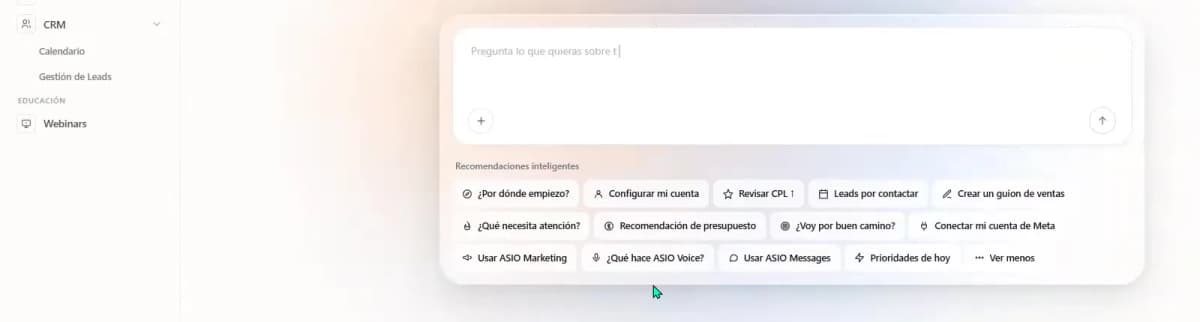
Start with a smart recommendation or write your own question.
Ask questions about your ASIO account
The fastest way to learn the platform is to ask ASIO AI about the task you are trying to complete. It can explain the purpose of a tool, show you what information matters, and suggest the next step.
Ask one clear question
For example: "How does my ASIO CRM work?"
Read the explanation
ASIO AI can explain how leads enter the CRM, how their status changes, how follow-up works, and how marketing activity connects to meetings and results.
Continue with a follow-up
Ask it to explain one point, show your current leads, compare results, or turn the explanation into a simple action plan.
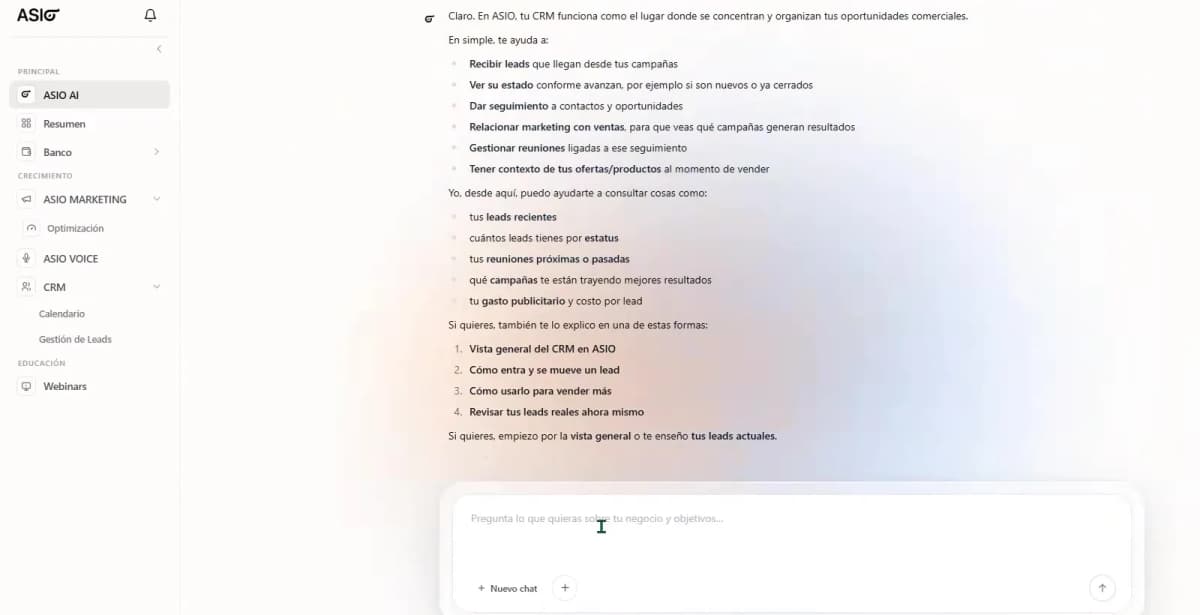
ASIO AI explains how the CRM connects marketing, leads, follow-up, meetings, and results.
Use ASIO AI as your setup guide
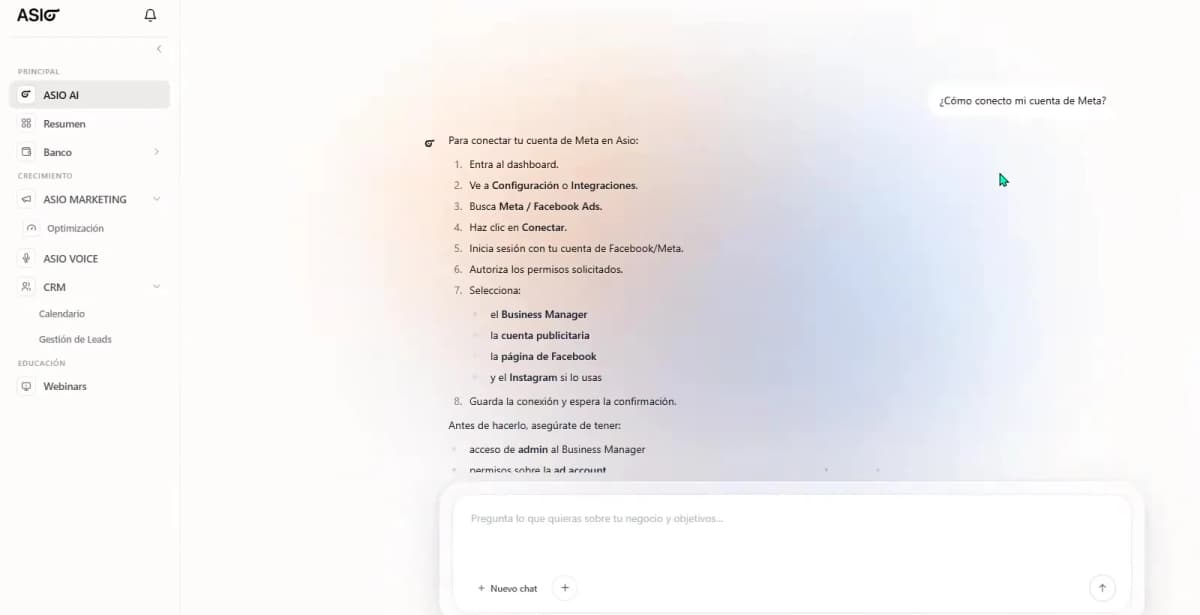
You can also ask how to configure or connect a part of the system. ASIO AI will give you an ordered checklist and tell you which account, permission, or integration is required.
Ask for a strategy, not just an answer
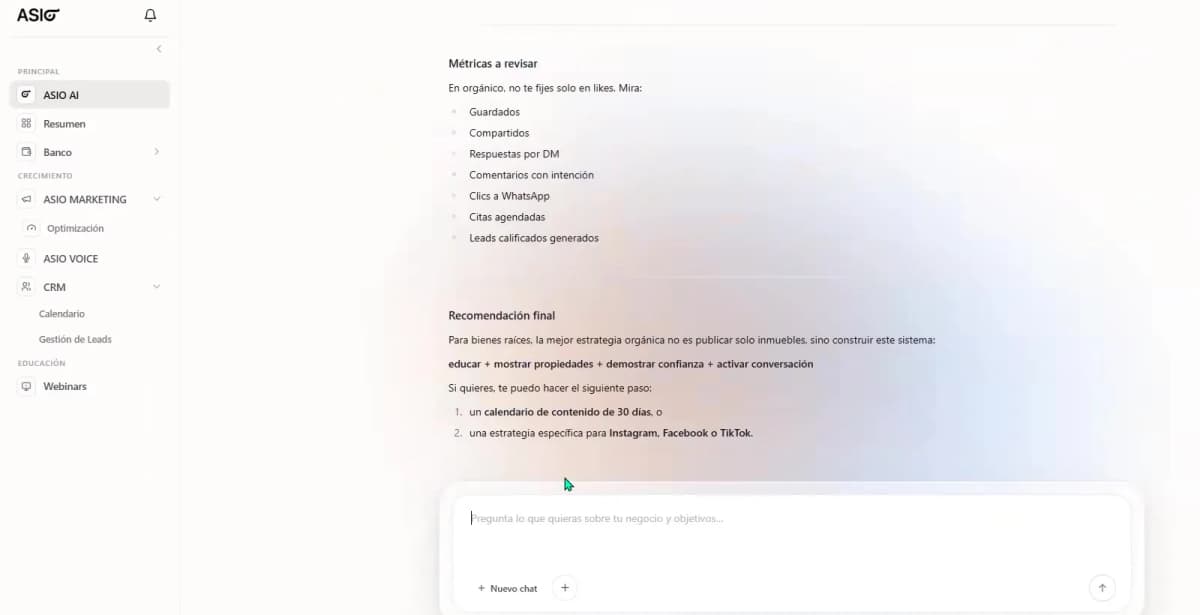
ASIO AI can use your business context to build a practical strategy. In the tutorial, it creates organic content and sales recommendations for a real-estate business, including content pillars, actions, metrics, and next steps.
A simple prompt formula: tell ASIO AI four things. Your business, your goal, your situation, and the result you want it to create.
Example prompt: "I sell homes in Cancun. I want more qualified appointments this month. I have a small content budget and can publish three times per week. Create a 30-day content plan with topics, calls to action, and the metrics I should review."
Continue or reopen previous conversations
Open the chat history
Select the history icon in the upper-right area.
Choose an earlier conversation
Reopen a previous question so ASIO AI can continue from the same topic.
Start a new chat when the topic changes
Use New chat when you want a clean conversation about a different task.
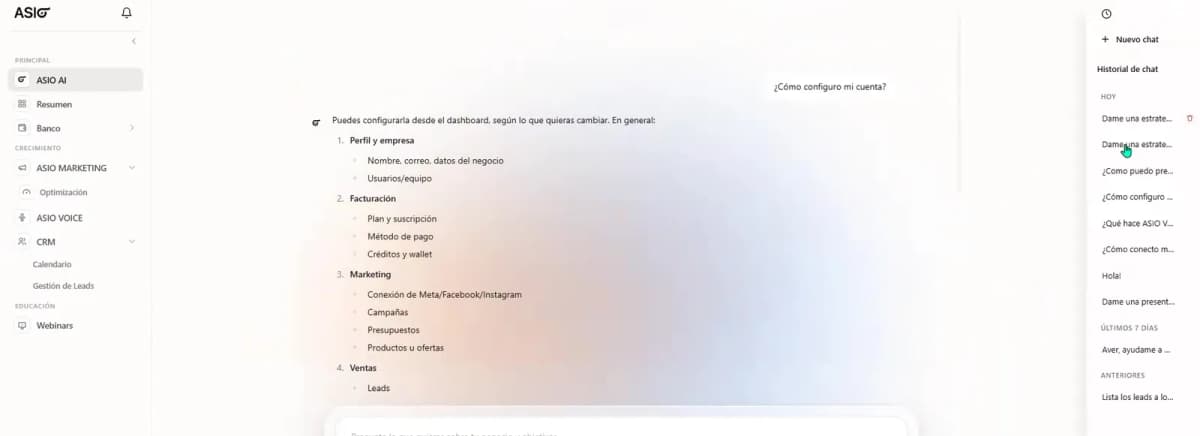
Reopen earlier conversations from the chat history.
How ASIO AI works with the rest of the system
The main AI is the place to understand, analyze, plan, and decide. When you are ready to execute, move to the specialized area that performs the job.
- ASIO Marketing: create, launch, and improve campaigns.
- ASIO Voice: call, qualify, follow up with, and schedule leads.
- ASIO Messages: manage automated conversations and messaging flows.
- CRM: organize contacts, lead status, follow-up, meetings, and sales opportunities.
- Integrations: connect the external accounts and information ASIO needs.
Get better answers
- Be specific about the business, goal, time frame, and budget.
- Ask one main question at a time.
- Use follow-up questions to make the answer shorter, simpler, or more detailed.
- Ask for an output you can use, such as a checklist, script, plan, priority list, or comparison.
- Keep the business profile and integrations updated so ASIO has the right context.
What ASIO AI may not be able to confirm
Access depends on the information and permissions available in your account. If ASIO AI cannot see a specific activation, setting, or data point, it will tell you instead of pretending that it can confirm it.
Useful questions to try
- What needs my attention today?
- Which leads should I contact first?
- Explain how my CRM works in simple terms.
- How do I connect my Meta account?
- Review my CPL and tell me whether I am on the right track.
- Create a sales script for my offer.
- Build a 30-day content strategy for my business.
- What does ASIO Voice do, and how should I use it?
How to know you are using ASIO AI effectively
Check you are done
- You ask it about real business decisions, not only how a button works.
- You use follow-up questions until the recommendation becomes actionable.
- You ask it to prioritize the next step instead of trying to do everything at once.
- You move from the main AI to the correct specialized tool when it is time to execute.
Was this helpful?